Attention: This section of the workspace settings is available only if you have purchased the Signi Archive add-on.**
If the Signi Archive is enabled for your account, you can configure how long documents are stored and when they are automatically moved to the archive.
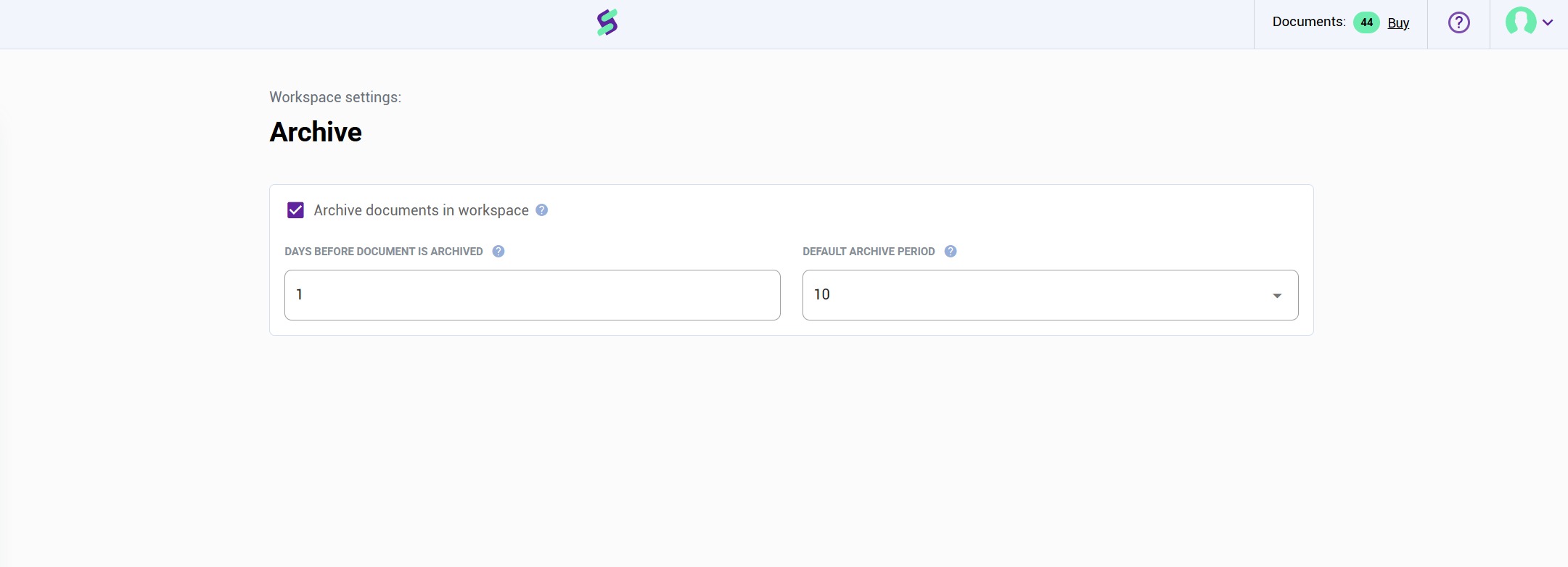
Enabling or disabling the archive
At the workspace level, you can:
Turn the archive on or off for the selected workspace.
Changes apply only to the specific workspace where the setting is configured.
Days before document is archived
This setting defines the number of calendar days after which a completed document is automatically archived.
The default value is 30 days (standard setup for most clients).
After the defined number of days passes, the document is moved to the archive automatically.
What happens after archiving?
Once archived, the document can be downloaded as a ZIP file. The ZIP package contains:
The timestamp certificate
The original signed PDF
The document checklist
This ensures full documentation and long-term compliance.
Default archive period
The Default Archive Period defines how long documents remain stored in the archive.
The period is set in years.
Example:
If set to 10 years, documents will be securely stored in the archive for 10 years from the date of archiving.
Was this article helpful?
That’s Great!
Thank you for your feedback
Sorry! We couldn't be helpful
Thank you for your feedback
Feedback sent
We appreciate your effort and will try to fix the article