The signing invitation is sent by email
After a document is sent out, Signi emails each signer a link to the document. Two things are tracked for every email: sent (Signi handed the message over for delivery) and delivered (the recipient’s server confirmed receipt).
An email is shown as “undelivered” when it has been sent but delivery has not been confirmed. Shortly after sending, every email is in this state — confirmations arrive with a delay. If the state persists, it most likely indicates a real problem (a typo in the address, a non-existent domain, a full mailbox).
Tracking applies to emails inviting the recipient to sign or fill in a document. Other messages (e.g. completion notifications) are not included in this indicator.
Where to spot an undelivered email
The “Undelivered emails” filter in the Documents overview
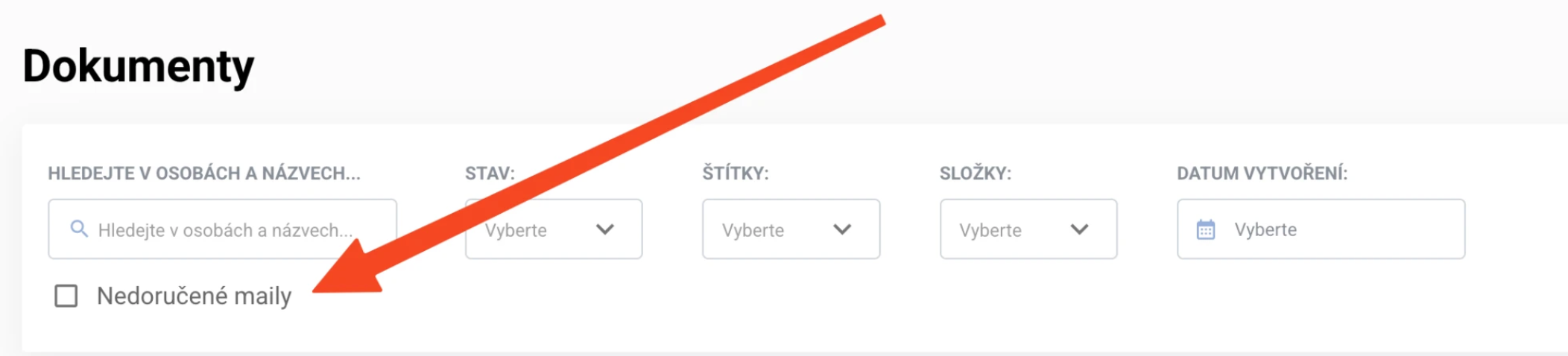
A checkbox below the search field narrows the list to documents where delivery has not been confirmed for at least one participant. The filter looks across all people on the document — a document may therefore show up because of an unconfirmed email of someone on your side, too.
The document tile in the overview
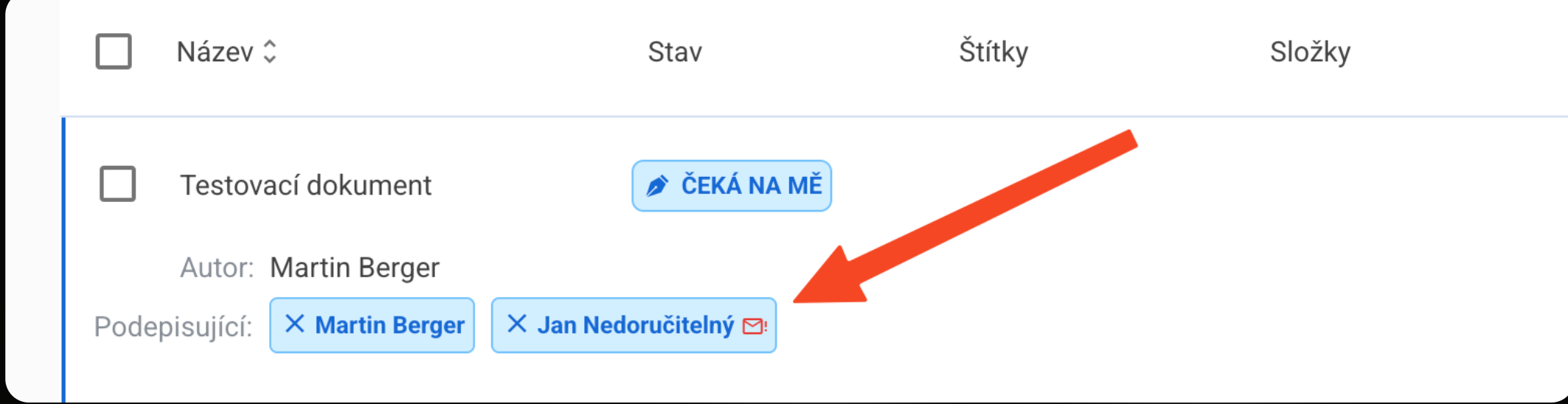
In the Signers row, the affected participant is marked with an envelope icon with an exclamation mark.
The document detail
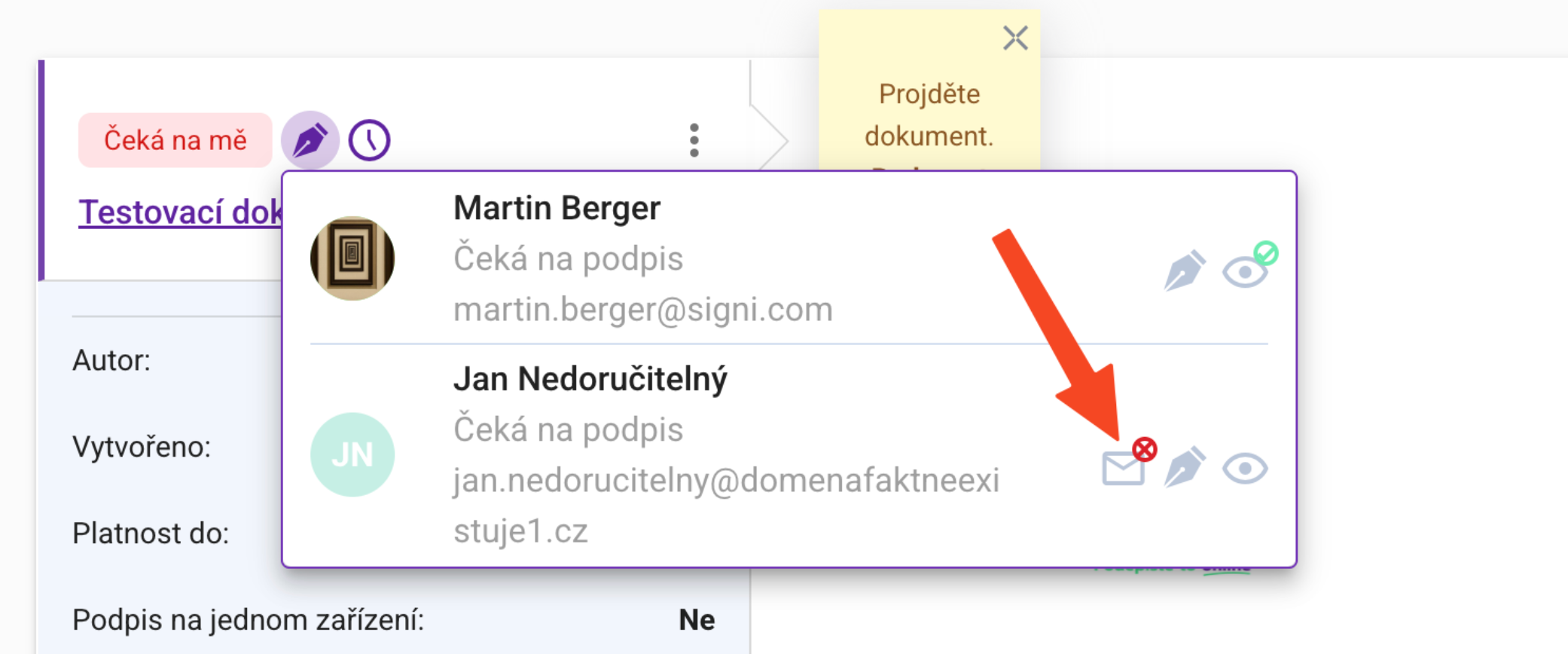
In the list of signers, each participant has an envelope icon with a badge:
- green check mark — delivery confirmed,
- red cross — sent, but delivery not confirmed,
- no envelope — the email has not been sent yet.
Document history
Individual email events are recorded in the document history (sent, accepted, delivered, opened, clicked, failed, rejected) — the most detailed source for proving what happened to the invitation.
What to do when an email is not delivered
- Check the address — the most common cause is a typo or a non-existent domain.
- Fix the address — a participant can be replaced on the document; the invitation is then sent to the new address.
- Resend the invitation — if the problem on the recipient’s side was only temporary.
- Check the spam folder — a message may be delivered and still go unnoticed by the recipient.
When a document is returned to drafts, the sending records are cleared and tracking starts over on the next send-out.
Presumed delivery: without delivery, the document will not complete
For documents with presumed delivery, confirmed delivery acts as the counterparty’s signature, which is why an undelivered email is critical.
The presumed-delivery period runs from the delivery confirmation, not from sending. Its length is taken from the document settings, otherwise from the workspace settings. The default presumed-delivery period is 15 days.
When the document’s validity expires, it completes by presumed delivery only if everyone on the proposer’s side has signed and delivery to the counterparty has been confirmed. If delivery has not been confirmed, the document does not complete and lapses (expires); the reason is recorded in the document history.
With presumed delivery, it is therefore necessary to actively monitor delivery — this is exactly what the Undelivered emails filter is for. The mode assumes a single counterparty on the document.
Was this article helpful?
That’s Great!
Thank you for your feedback
Sorry! We couldn't be helpful
Thank you for your feedback
Feedback sent
We appreciate your effort and will try to fix the article